Why Photo GPS Locations Drift and How Smartphone GPS Really Works
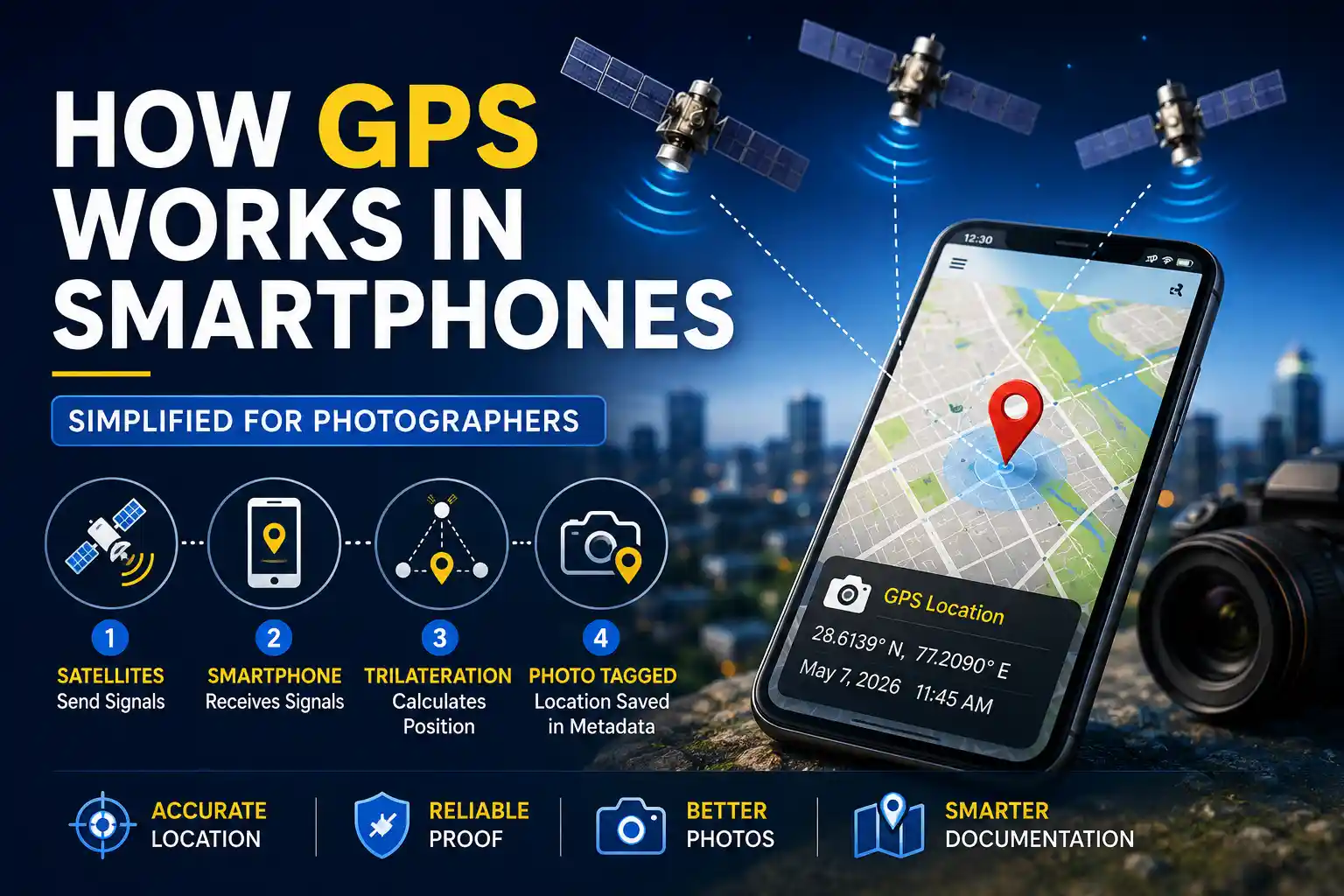
Have you ever taken a photo at a job site, travel location, or inspection area and later noticed that the GPS stamp was slightly off? This happens because smartphones combine satellite signals, network assistance, and timing when determining location. In this guide, you will learn why photo GPS can drift, how smartphone GPS actually works, and what you can do to improve accuracy when location data matters.
In this article, we explain why photo GPS can drift, how smartphones calculate location, and what you can do to improve accuracy when you need reliable location data.
Table of Contents
Why Photo GPS Can Drift
When you open your camera app, the phone starts looking for signals from satellites. For an accurate location fix, it needs signals from multiple satellites at the same time, and that process can take a few seconds.
If you take the photo before the phone has a stable fix, the saved location may be based on an earlier estimate. That estimate can come from GPS, Wi-Fi, or mobile network assistance, so the final coordinates may not match the exact spot where you stood.
This is one reason why photo location data can drift, especially when you capture images quickly or move between signal conditions.
How Smartphone GPS Actually Works
Smartphone GPS works by receiving signals from satellites and measuring how long those signals take to reach your device. Each satellite sends its position and the exact time the signal was transmitted.
Your phone compares those timing signals and estimates distance from each satellite. Once it has enough information, it calculates your position using a method called trilateration.
In simple terms, your phone does not send a location signal to satellites. It listens, measures, and calculates based on received data.
The Hidden Data Inside Your Photo
A smartphone photo can store more than location. EXIF metadata may include latitude, longitude, altitude, timestamp, camera model, and other capture details. You can inspect this data using an online EXIF viewer.
Why Location Accuracy Changes
GPS is useful, but it is not always equally accurate. Accuracy can change depending on your surroundings, the number of visible satellites, and the quality of the signal reaching your phone.
Tall buildings, dense trees, indoor spaces, tunnels, and poor sky visibility can all reduce accuracy. In cities, signals may reflect off buildings before reaching your device, which can make the location drift.
This is why a photo taken outdoors in open space may be more accurate than one taken in a crowded urban area or inside a structure.
Why GPS Data Disappears When Sharing
Another common problem is not inaccurate GPS, but missing GPS. A photo may contain correct metadata on your phone, yet the location can disappear after sharing through messaging apps or social media platforms.
Many apps remove EXIF data automatically to reduce file size or protect privacy. Once that metadata is removed, the hidden location information is no longer part of the shared file.
For that reason, some professionals prefer visible location stamps for documentation, because the location stays on the image itself even after sharing.
Best Practices for Better GPS Photos
If you want more reliable location data, let your phone get a stable GPS lock before taking important photos. Opening a maps app for a few seconds can help the device settle on a better position.
Try to capture photos outdoors or near open sky when possible. For inspections, construction, and field records, visible location stamps can be a practical backup when hidden metadata alone is not enough.
These simple habits can improve your results without requiring any advanced setup.
- Turn on location services before taking the photo.
- Wait a few seconds for a stronger GPS lock.
- Avoid blocked or indoor environments when accuracy matters.
- Use visible stamps for important documentation.
Simple Tip
If a photo is important for work or proof, check the location before you save or share it.
If you work with travel photos, inspections, or site documentation, it helps to understand both hidden metadata and visible overlays. Hidden EXIF information is useful for organization, but it can be removed during sharing. Visible location stamps are easier to see and may be better when you need a photo to keep its location details even after export. For more details, read our guides on EXIF data and recovering lost GPS metadata.
Frequently Asked Questions
Need Visible GPS Stamps?
Use the browser-based editor to add coordinates, date, time, and map details directly onto your photos.
Open GPS Map Camera Editor
Priyanshu built GPS Map Camera Online after running into privacy issues and slow performance with traditional mobile GPS camera apps. He specialises in browser-based tools for field documentation and photo geotagging — keeping everything fast, private, and free.
View all posts →