Upload a photo to start editing
Free GPS Map Camera Editor – Add Location, Date & Time to Photos
Upload a photo and edit GPS location stamps online. Add map location, latitude, longitude, date and time to your photos instantly using our free GPS Map Camera Editor. No download required — all photos are processed securely in your browser.
GPS Map Camera Editor – Add or Edit Location Stamps on Existing Photos
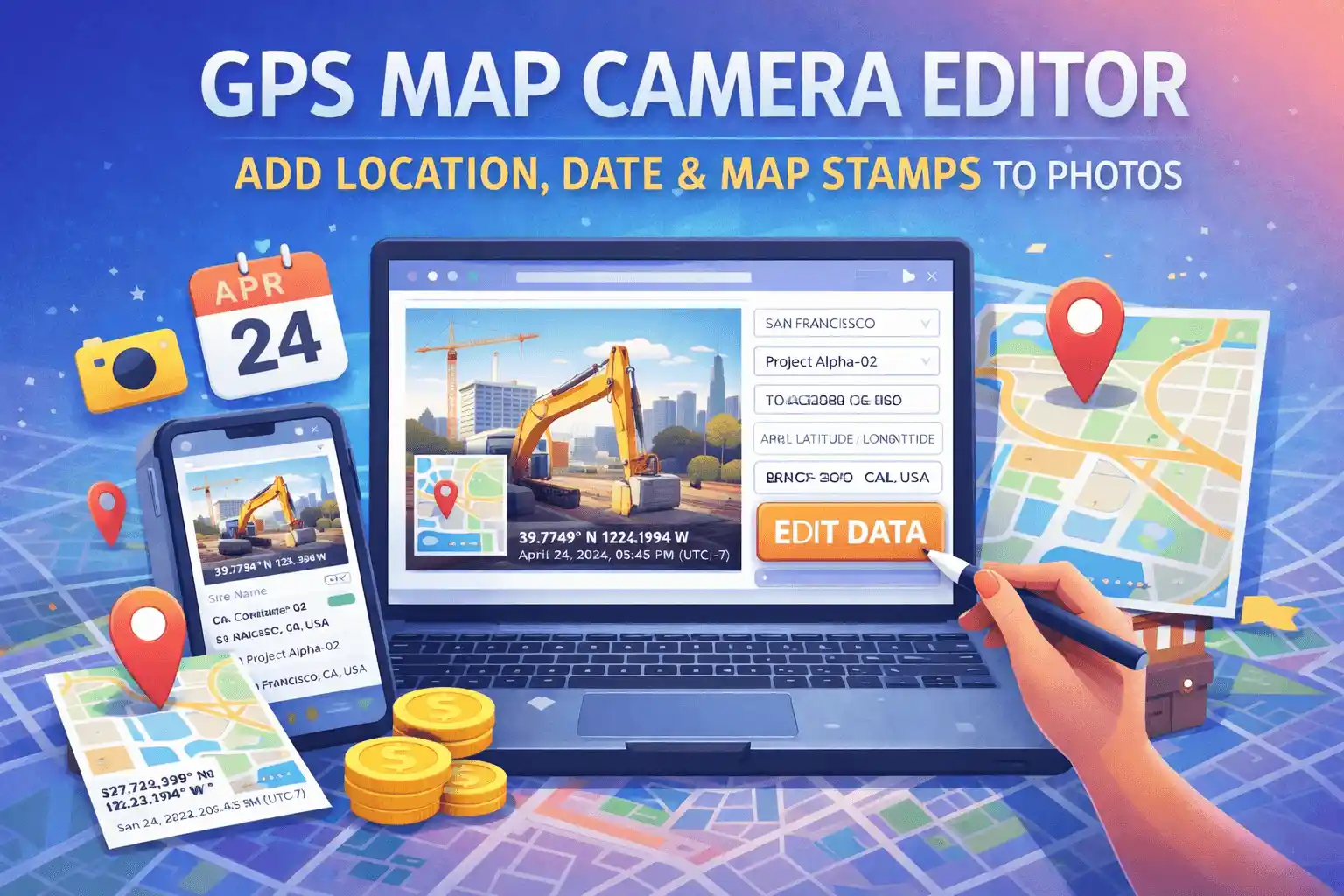
The GPS Map Camera Editor is a free browser-based tool that lets you add or edit a GPS location stamp, map thumbnail, date, and time on any existing photo — without installing an app. Unlike the main GPS Map Camera Online tool which captures live photos with automatic GPS, this editor is designed specifically for photos you have already taken and need to stamp after the fact.
This is the tool to use when your camera didn't record a location, when GPS signal was unavailable during the shoot, when you're stamping older archive photos, or when you need to correct an inaccurate location before submitting a work report or insurance claim.
What Makes This Editor Different from the Main Tool
Many people ask what the difference is between GPS Map Camera Online and the GPS Map Camera Editor. Here is the clearest way to think about it:
- GPS Map Camera Online (homepage): Best for capturing new photos in real time with live GPS detection. Your location is pulled automatically the moment you open it, and you can use your device camera directly from the browser.
- GPS Map Camera Editor (this page): Best for stamping photos you already have. You upload an image from your gallery, set the location manually via the map or address search, adjust the timestamp to match when the photo was actually taken, and export the stamped result.
The editor also gives you more control over the output format — you can export as JPG, PNG, or a PDF document, which is useful for professional submissions and reports.
Key Features
- Upload any existing photo: Supports JPG, PNG, WebP, and other common formats. Works with photos taken days, months, or years ago.
- Manual location search: Type any address, city, or landmark into the search bar and the map pin moves there instantly. No GPS signal required.
- Drag-and-drop map pin: For precise positioning, drag the red marker to the exact spot on the map — useful for remote sites, construction zones, or rural areas that don't have a registered address.
- Coordinate input: Enter latitude and longitude directly if you already have the coordinates from a GPS device or survey instrument.
- Editable timestamp: Change the date and time displayed on the stamp to match the actual capture time — particularly useful when your camera clock was set incorrectly or you're adding a stamp to an older photo.
- Project / site name field: Add a custom label like "Site B – Foundation Inspection" above the location data for organised field documentation.
- 6 stamp styles: Same style options as the main tool — Rounded Black Glass, Rounded White Glass, Modern Black, Classic White, Minimalist Text, and Separated Boxes.
- PDF export: Download your stamped photo as a PDF document, ready for official submissions, email attachments, or printing.
- 100% private: Your photos are processed entirely in your browser. No uploads, no server storage, no accounts required.
How to Edit GPS Location on a Photo
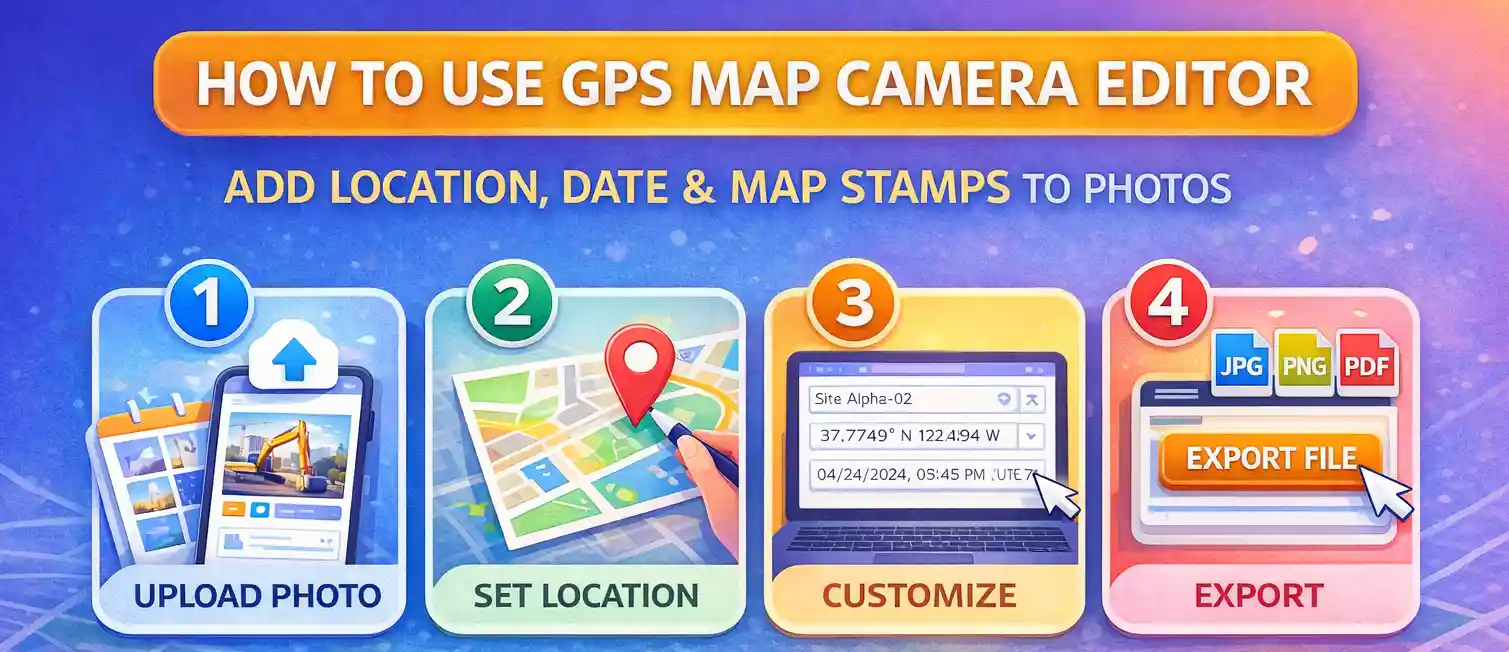
The process takes about 30 seconds from start to download:
- Upload your photo. Click "Select Photo to Edit" and choose an image from your device. The photo appears in the preview area. Both portrait and landscape orientations are supported.
- Set the location. Use the search bar to find the address or place where the photo was taken. Alternatively, drag the map pin to the correct position, or type coordinates directly into the latitude and longitude fields if you have them.
- Adjust the timestamp. The timestamp field defaults to the current date and time. Click on it and type the correct date and time for when the photo was originally taken — for example, 15/06/2025, 10:30:00 AM (UTC+5:30).
- Add a project name (optional). If you're documenting a specific site or project, add a label in the Project / Site Name field. It appears in bold above the location on the stamp.
- Choose a stamp style. Scroll down the preview panel to see the style options. Click any template to see it applied to your photo instantly.
- Click Update Stamp if you've changed any settings after the initial load.
- Export your file. Choose JPG, PNG, or PDF from the format dropdown, set the quality level if exporting as JPG, then click "Export Edited File." The file saves directly to your device.
For a detailed walkthrough with screenshots, see our blog guide: how to edit GPS location on a photo.
How to Change the Date and Time on a GPS Photo
This is one of the most common reasons people use this editor. Here are the typical scenarios:
- Camera clock was wrong: If your phone or camera had the wrong time set when you took the photo, the timestamp on the stamp will be incorrect. Edit the timestamp field to the actual time of capture before exporting.
- Stamping archive photos: If you're adding a location stamp to an older photo, you'll want to change the date to the original date the photo was taken, not today's date.
- Time zone adjustments: If you were travelling and took photos in a different time zone, you can edit both the time and the UTC offset in the timestamp field to reflect local time at the location.
- Matching report requirements: Some job sites or insurance processes require the timestamp to exactly match the incident or inspection time. The timestamp field is fully editable — just click on it and type the required value.
Real-World Use Cases
Construction and Site Documentation
Site engineers often take photos throughout a workday but only get around to documenting them later. With the editor, you can upload each photo, set the location to the relevant part of the site, and adjust the timestamp to when the work was actually completed. The PDF export option is particularly useful here — site reports with GPS-stamped photos in PDF format are accepted by most clients and regulatory bodies.
Insurance Claims
When filing a claim for property damage, vehicle accidents, or construction defects, insurers often require photos with visible location and time data. If your original photos were taken without a GPS stamp, you can use this editor to add one using the accurate coordinates and time of the incident. The browser-side processing means the image is never uploaded to any third-party server, keeping your sensitive claim photos private.
Delivery and Logistics Proof
Delivery drivers and logistics coordinators sometimes need to stamp photos retroactively — for example, if the GPS camera app failed at the time of delivery. Upload the delivery photo, set the exact delivery address, and export a stamped image as proof of delivery with the correct time.
Real Estate and Property Surveys
Property surveyors, real estate agents, and appraisers use GPS-stamped photos to document property conditions, boundaries, and features. The coordinate input option is especially useful here — if you have precise survey coordinates, you can enter them directly rather than relying on the map search.
Environmental and Field Research
Researchers photographing field sites, soil samples, water sources, or wildlife sightings need to record exact coordinates. Photos taken with basic cameras or older devices often lack GPS data — this editor lets you add accurate location stamps after the fact, maintaining the integrity of field records.
Privacy and Data Security
The GPS Map Camera Editor processes all photos locally in your browser using the HTML5 Canvas API. When you upload a photo, it is read directly by your browser's FileReader — it never leaves your device. The map tiles used for the stamp overlay are loaded from OpenStreetMap's public tile servers, which only receive a tile request (a set of coordinates) and never see your photo.
This architecture makes the editor safe for sensitive professional use — legal evidence photos, medical site documentation, corporate asset photos — where uploading images to a cloud service would be a compliance concern.
Frequently Asked Questions
Can I edit the GPS location on a photo that already has a stamp?
Yes. Upload the photo, set a new location and timestamp, and the editor will apply a fresh stamp. Note that this overlays a new visible stamp on the image — it does not remove an existing visible stamp. If you need to remove an old stamp first, that would require cropping or editing out the original overlay in an image editor before uploading here.
Is the GPS Map Camera Editor free?
Yes, completely free. There is no subscription, sign-up, or payment required for any feature including PDF export.
What image formats can I upload?
You can upload JPEG, PNG, WebP, and most other browser-supported image formats. Very large files (above 20MB) may be slow to process depending on your device's memory.
What export formats are available?
You can export your stamped photo as JPG (with adjustable quality), PNG (lossless, larger file size), or PDF. The PDF option is useful for official reports, as the stamped image is embedded at full resolution in a standard document format.
Can I add a location to a photo taken in a remote area with no address?
Yes. If the area has no registered address, you can enter the latitude and longitude coordinates directly into the coordinate fields. The map pin will move to those coordinates and the stamp will display the coordinates even if no address string is available. This is common for rural construction sites, forest surveys, and coastal monitoring.
Does this tool edit the EXIF GPS metadata inside the photo file?
No. This tool adds a visible GPS stamp as a visual overlay burned into the image — it does not write to the EXIF metadata inside the file. If you need to edit or remove EXIF metadata, use our dedicated EXIF Editor or EXIF Remover tools.
How is this different from the Bulk GPS Photo Stamper?
This editor processes one photo at a time with full control over every setting. The Bulk GPS Photo Stamper applies the same location and timestamp to up to 20 photos simultaneously — ideal when you have a batch from a single site visit and all photos share the same location and time.
Related Tools
GPS Map Camera Online
Add GPS location stamps to your photos online
Bulk GPS Photo Stamper
Process multiple photos at once
Photo Location Finder
Verify GPS coordinates on a map
Photo EXIF Editor
Modify and update photo metadata
Photo EXIF Viewer
Read all current metadata before editing
Photo EXIF Remover
Strip all metadata for privacy

About the author
Priyanshu Borah
Creator & Developer
Priyanshu built GPS Map Camera Online after running into privacy issues and slow performance with traditional mobile GPS camera apps. He specialises in browser-based tools for field documentation and photo geotagging — keeping everything fast, private, and free.
View all posts →