5 Best GPS Camera Apps for Android to Geotag Your Photos (2026 Tested)
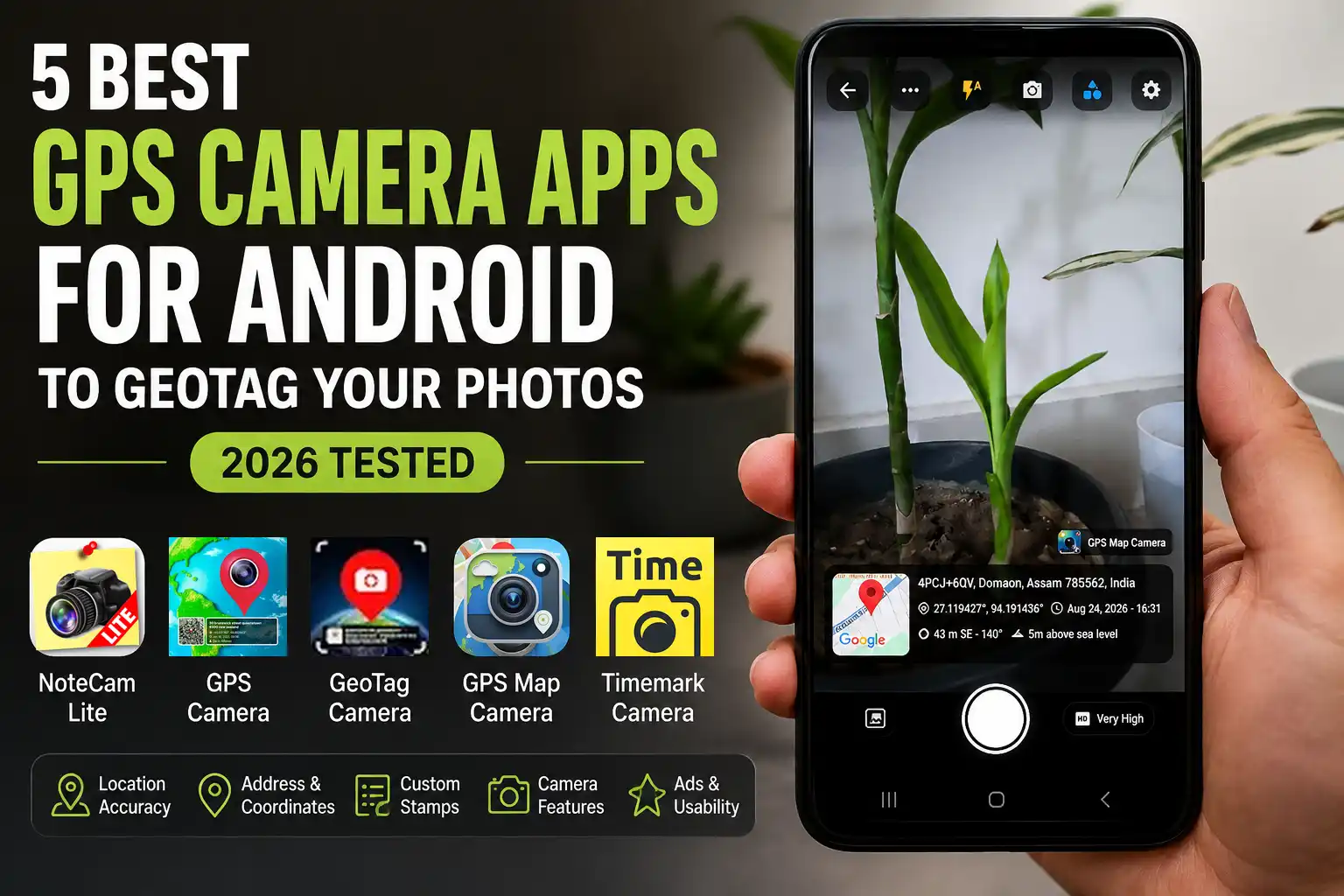
If you've ever needed to prove exactly where a photo was taken — for work, for a field survey, for a delivery confirmation, or honestly just to remember which beach that sunset was from — a regular camera app doesn't cut it. You need something that stamps your photos with location, coordinates, and time, right there on the image itself.
I spent the last two weeks going through pretty much every GPS camera and geotag camera app I could find on the Google Play Store, installing them on my own Android phone, snapping test photos in the same spot, and comparing what actually shows up in the stamp. Some were bloated with ads. Some looked like they hadn't been updated since 2015. A few actually got it right.
Quick note before diving in: everything below was tested on Android specifically. If you're on iPhone, some of these apps may not be available, or may behave a little differently.
How I Tested These GPS Camera Apps
Instead of just skimming the Play Store listing for each app, I installed all five on the same phone and ran them through the same checklist, so the comparisons below are based on side-by-side use rather than marketing copy.
| What I Checked | How |
|---|---|
| Location accuracy | Compared the displayed coordinates against the same physical spot across all five apps |
| Address detection | Checked whether the street/locality was correctly identified, or missing entirely |
| Date/time stamp | Checked the timestamp against the device clock |
| Templates | Counted usable free templates and how far they could be customized |
| Existing photos | Tested whether an already-taken photo could be imported and stamped |
| Video stamping | Tested whether GPS data could be burned into video, not just photos |
| Ad experience | Logged where and how often ads appeared during normal use |
| Watermark | Checked whether the free tier adds a branding watermark to output |
Test setup
Device: Samsung Galaxy S20 FE 5G
Android version: Android 13
Test location: Demow,Assam, India
Test period: August 2026
What's In This Guide
5. NoteCam Lite (Version 6.0.5)
NoteCam Lite is the app you install when you just want the job done and nothing else. No frills, no fuss.
View on Google Play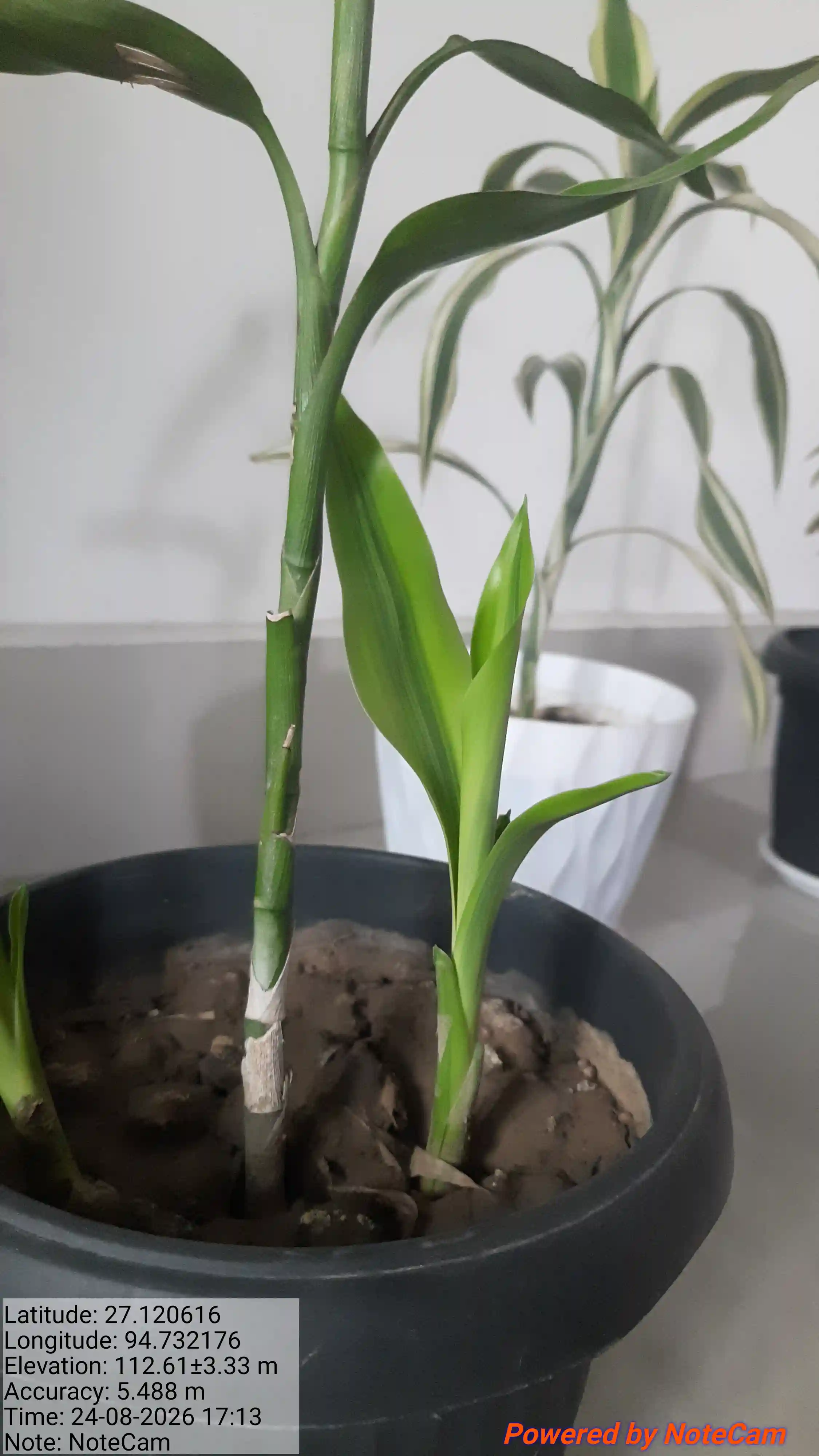
What I liked
The app itself is tiny, so it won't eat into your phone's storage or bog things down. Every photo you take gets stamped with latitude, longitude, elevation, and the date and time. And unlike a lot of "free" apps out there, the ads are refreshingly minimal — you can actually use it without getting interrupted every ten seconds.
Where it falls short
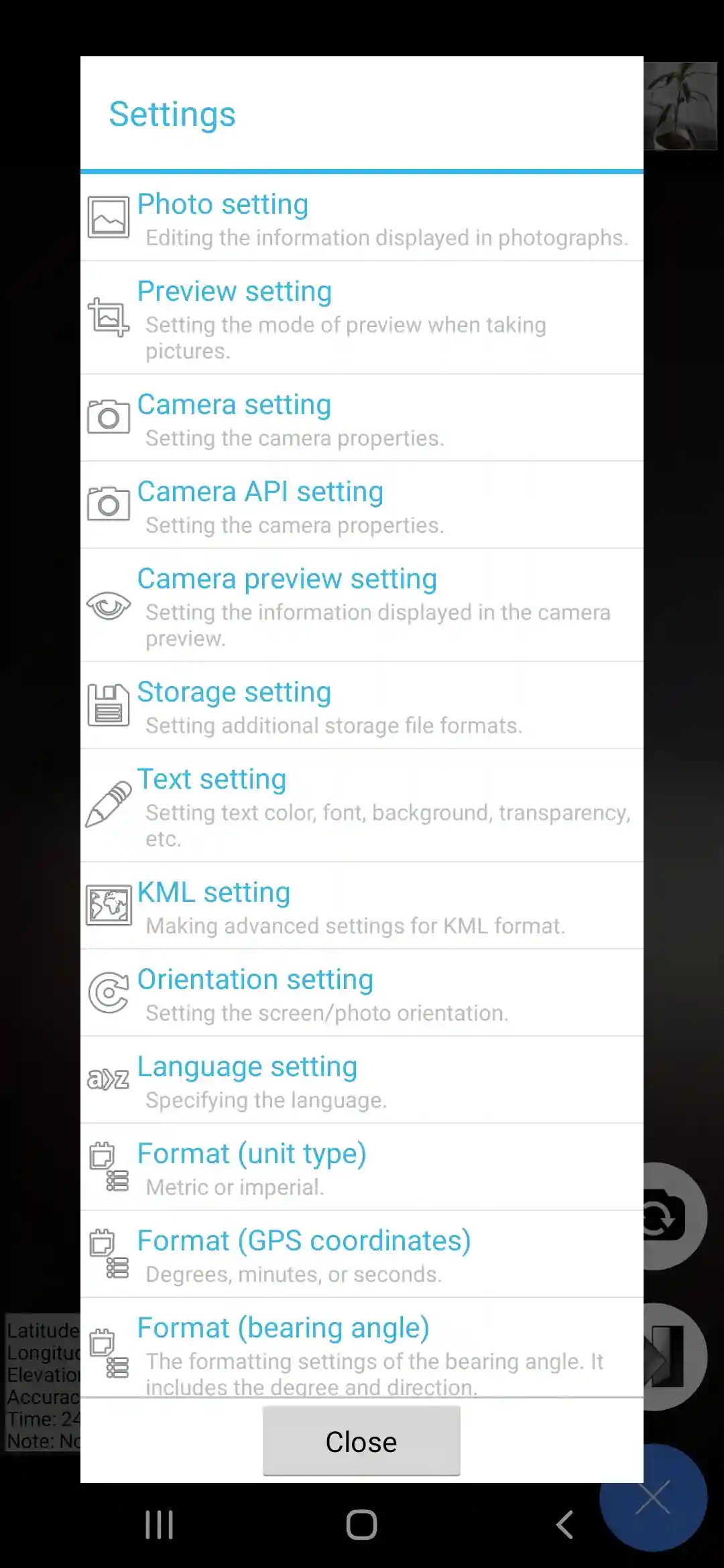
Here's the thing — it's basic to the point of feeling a little dated. You get one plain template, and that's it. There's no styling, no customization, nothing to make the stamp look like more than a text overlay. And a bigger issue for a lot of users: it doesn't pull a proper street address. You'll get coordinates and elevation, but if you actually need to show "123 Main Street" on your photo, this app won't do it.
Good pick if all you need is a no-nonsense coordinate stamp and you don't care about looks.
4. GPS Camera (Version 1.4)
GPS Camera moves things up a notch by actually solving NoteCam Lite's biggest weakness — it shows the full address, not just coordinates.
View on Google Play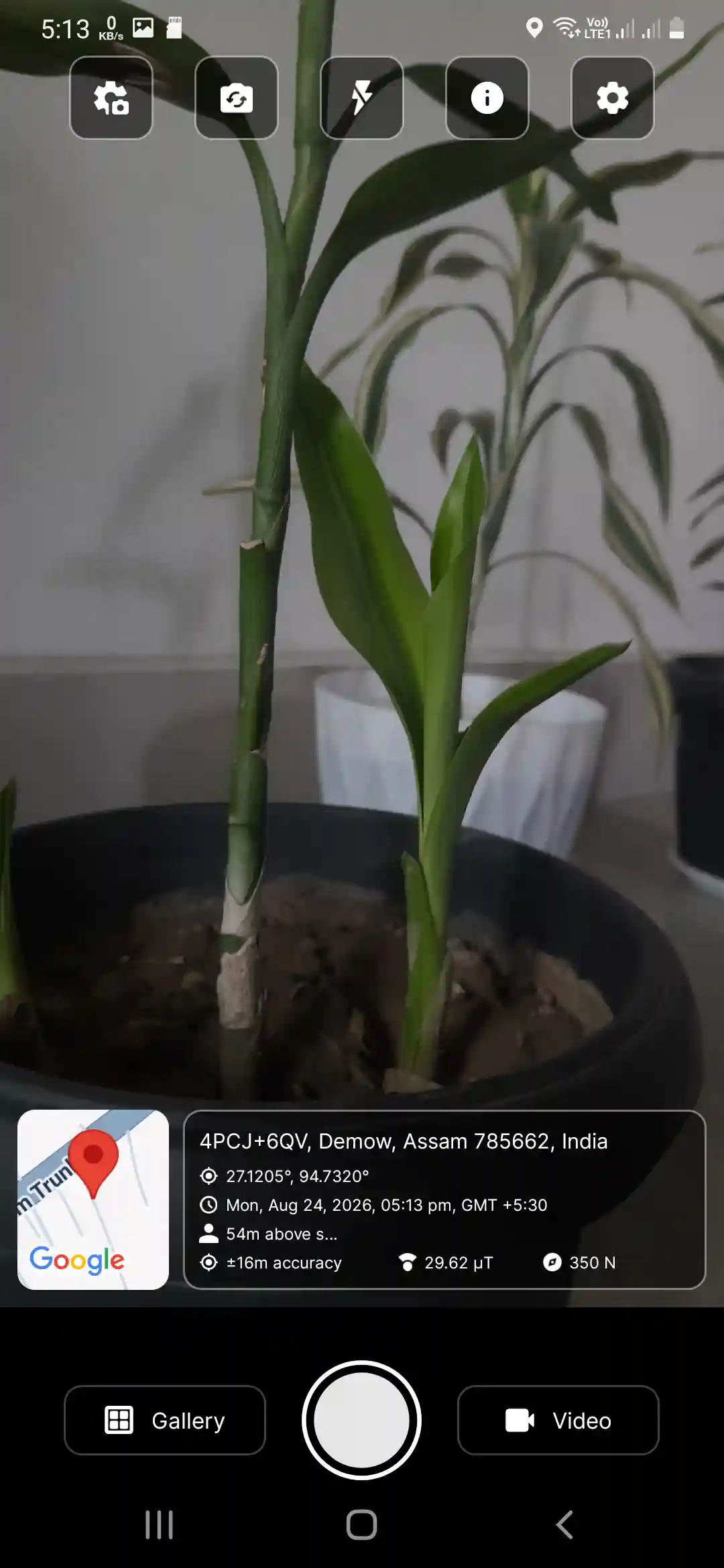
What I liked
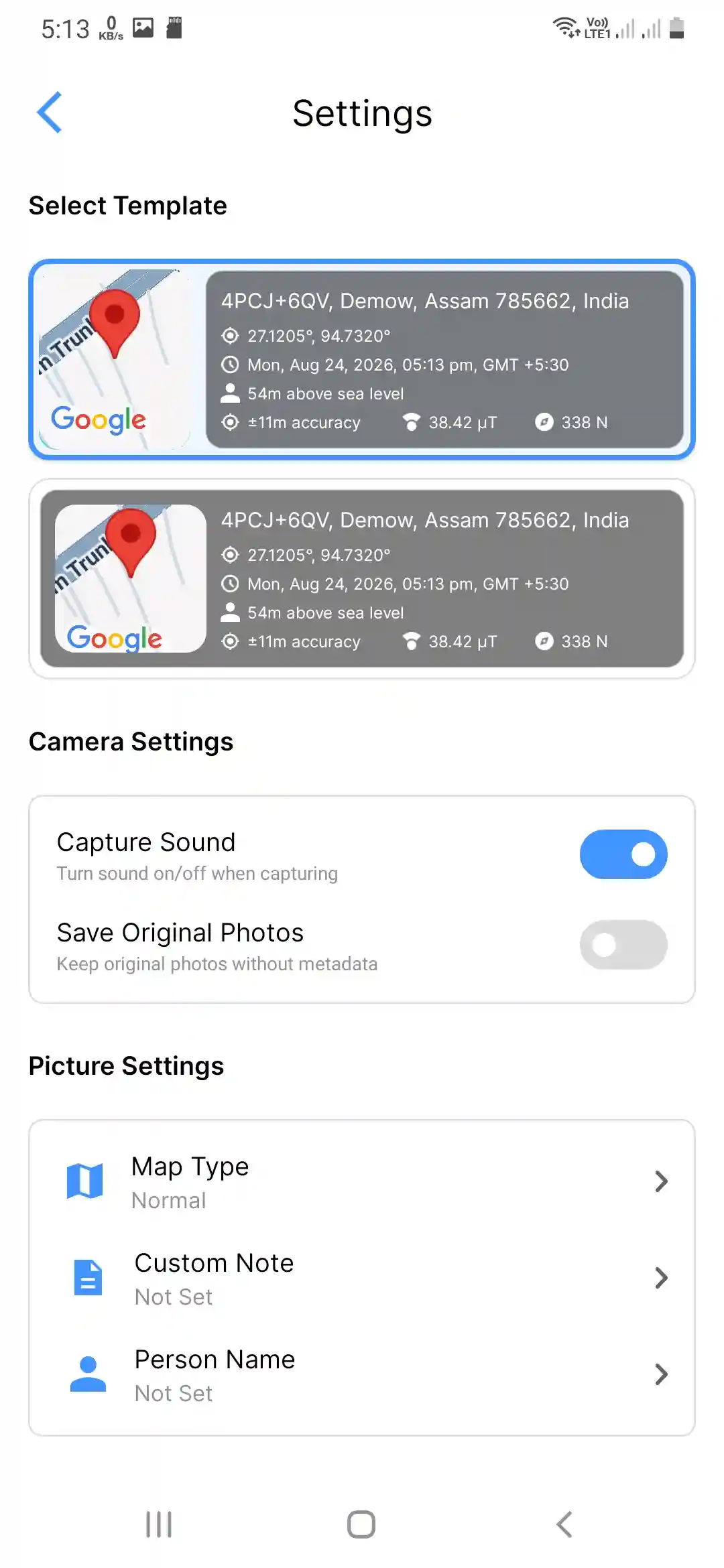
This one genuinely covers the basics well. Address, latitude, longitude, elevation, date, and time all show up cleanly on the stamp, and it uses the Google Maps API to resolve the address from the coordinates — the underlying GPS accuracy still comes down to your phone's location services, but the address lookup itself felt consistent in my testing. You can also add a custom note or a person's name to the photo, which is handy if you're documenting site visits or handing off photos to a client. There's also a map type toggle, and — this stood out to me — it lets you record video with the same location stamp, which not many apps in this space bother to offer.
Where it falls short
Customization is where it loses points. You only get two templates to choose from, so if you're someone who wants their stamped photos to look a certain way, you'll hit a wall pretty fast.
Solid middle-of-the-road option, especially if video stamping matters to you.
3. GeoTag Camera (Version 3.0.100)
This is where things start getting genuinely impressive. GeoTag Camera throws in almost every feature you could ask for.
View on Google Play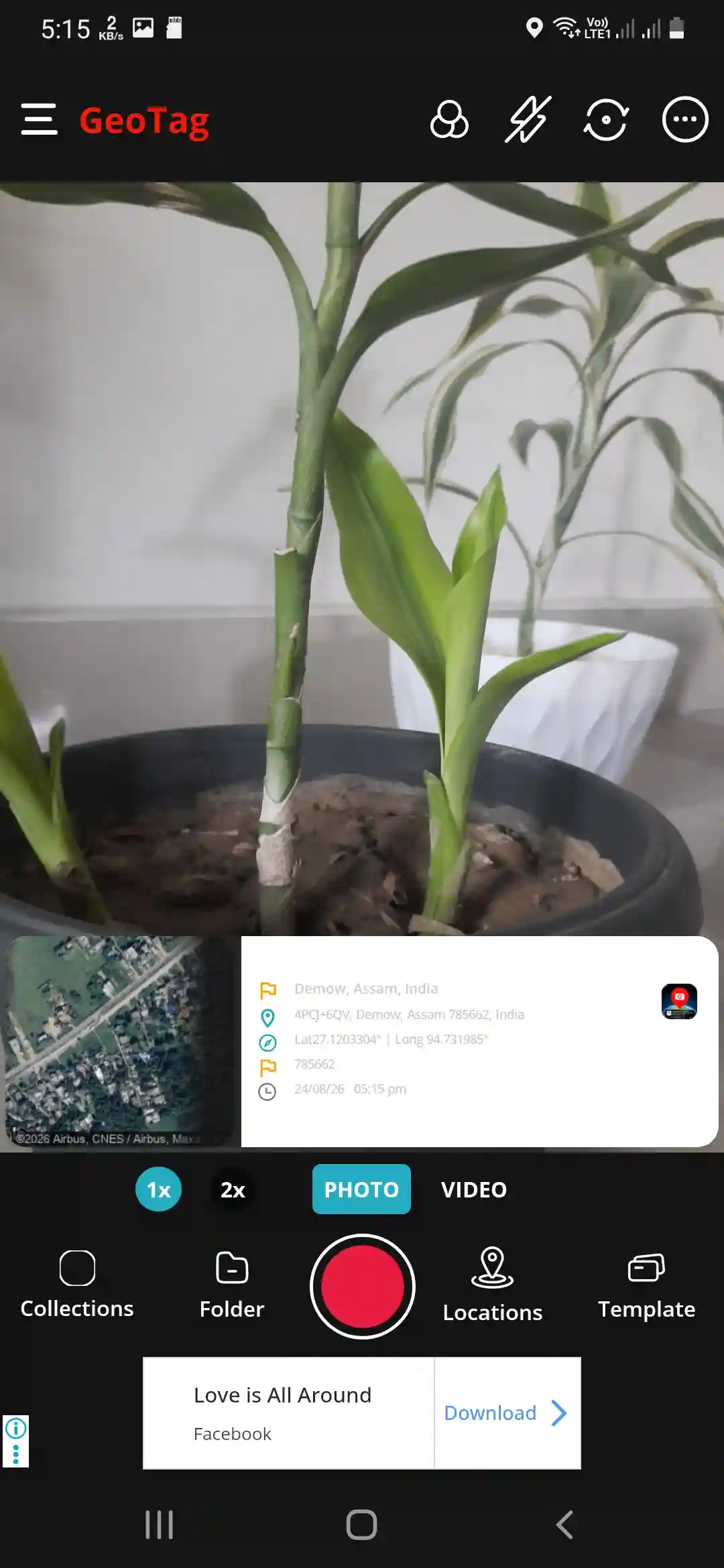
What I liked
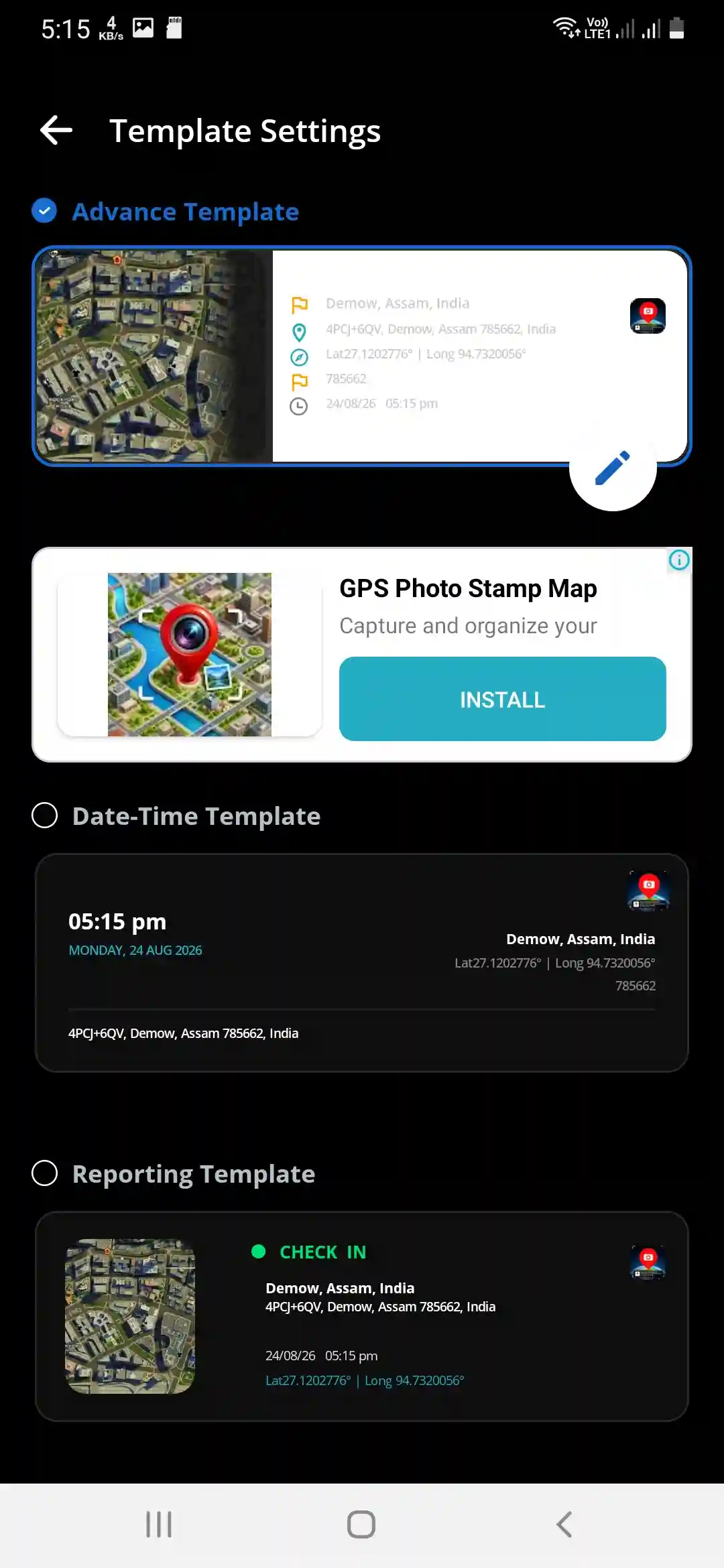
You get all the standard stamp info — lat, long, address — but the real draw is the sheer number of templates available, and the fact that they're actually editable. You can change colors, move the position of the text, resize fields, basically make the stamp look exactly how you want it. On top of that, there's a solid list of shooting features: multiple aspect ratio options with different megapixel settings, a handful of filters, manual focus, a mirror mode, and zoom options at 1x and 2x. You can also manually set a location if you're stamping a photo after the fact, and video recording is supported too.
Where it falls short
The ads are, frankly, a lot. You get hit with a full-screen ad the moment you open the app, then banner ads while you're using it, and then more full-screen ads after you finish taking a photo or completing a task. If you're patient enough to tap through them, the app itself is genuinely feature-rich. But it does test your patience.
If you can tolerate the ad load, this is one of the most flexible apps on this list in terms of pure customization.
2. GPS Map Camera (Version 0.1.14)
This is the app I'd recommend to most people who just want something clean that works — and doesn't try to sell you something every thirty seconds.
View on Google Play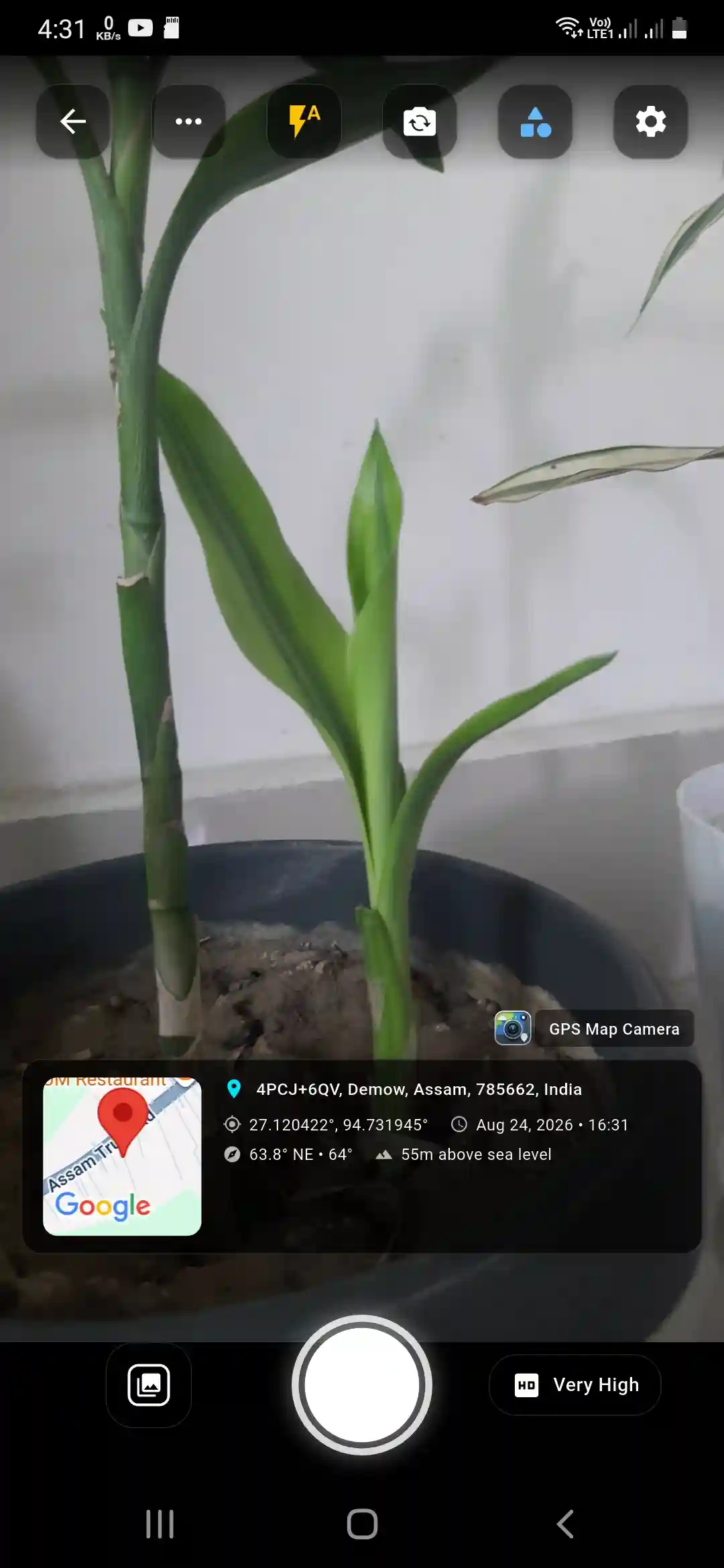
What I liked
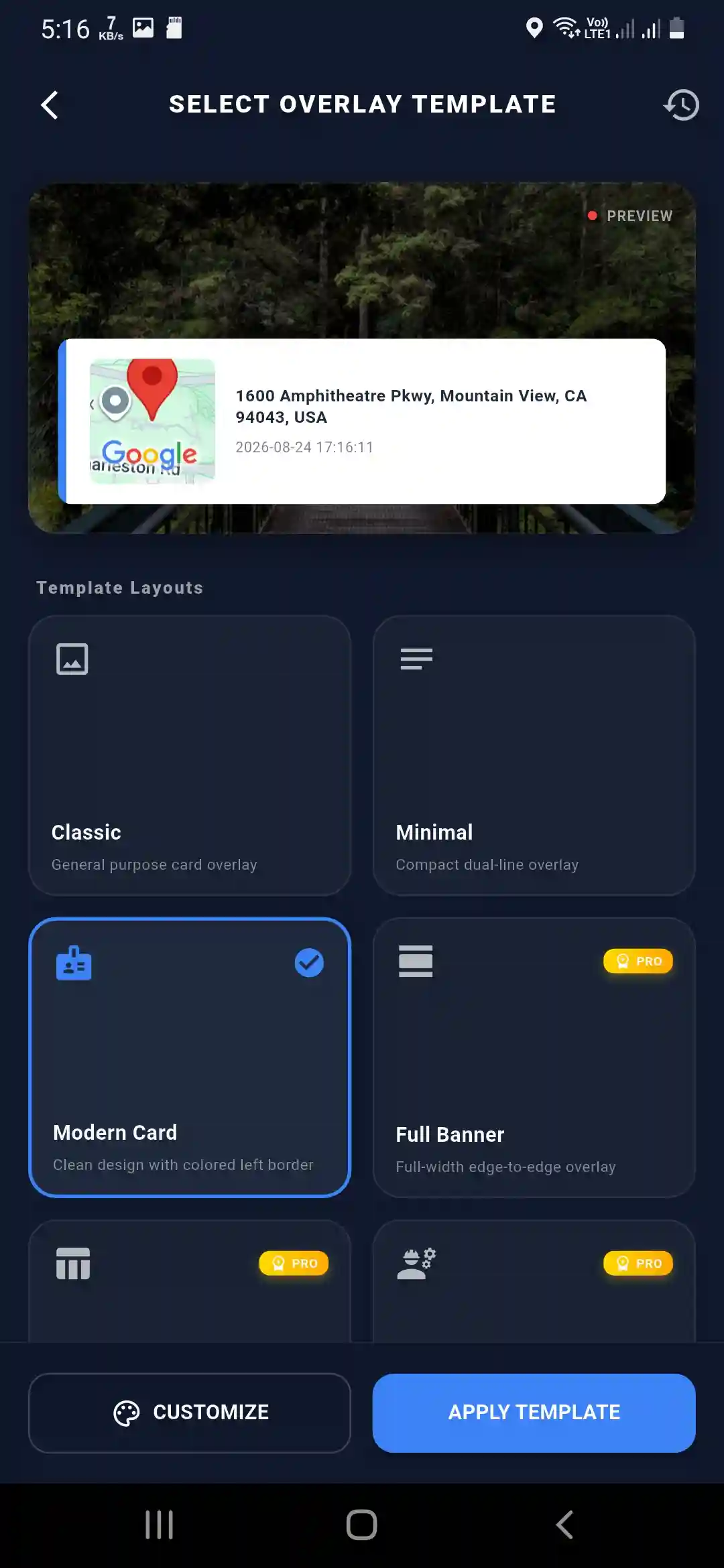
GPS Map Camera is refreshingly ad-free, which alone puts it ahead of most competitors. You can take a photo directly with the stamp applied, or upload an existing photo and stamp it afterward — a nice touch if you forgot to use the app in the moment. It covers all the basic stamp details you'd expect, and it comes with three free templates that you can customize further: change colors, add accents, tweak text styles, or add extra fields to the stamp.
Where it falls short
There's no video stamping option here, so if that's a must-have for you, look elsewhere. Also worth knowing upfront: a chunk of the more useful features — custom notes, QR code map links, and a few other extras — are locked behind the paid Pro version. The free tier is good, but it's clearly designed to nudge you toward upgrading.
Best pick if a clean, ad-free experience matters more to you than having every single feature unlocked for free. If you'd rather skip installing anything at all, our own GPS Map Camera Editor lets you stamp photos with location data straight from your browser, no app download required.
1. Timemark (Version v10.0.205)
Timemark scored highest in my testing because it combines the widest feature set with useful field-work features such as check-in/out records and photo checklists.
View on Google Play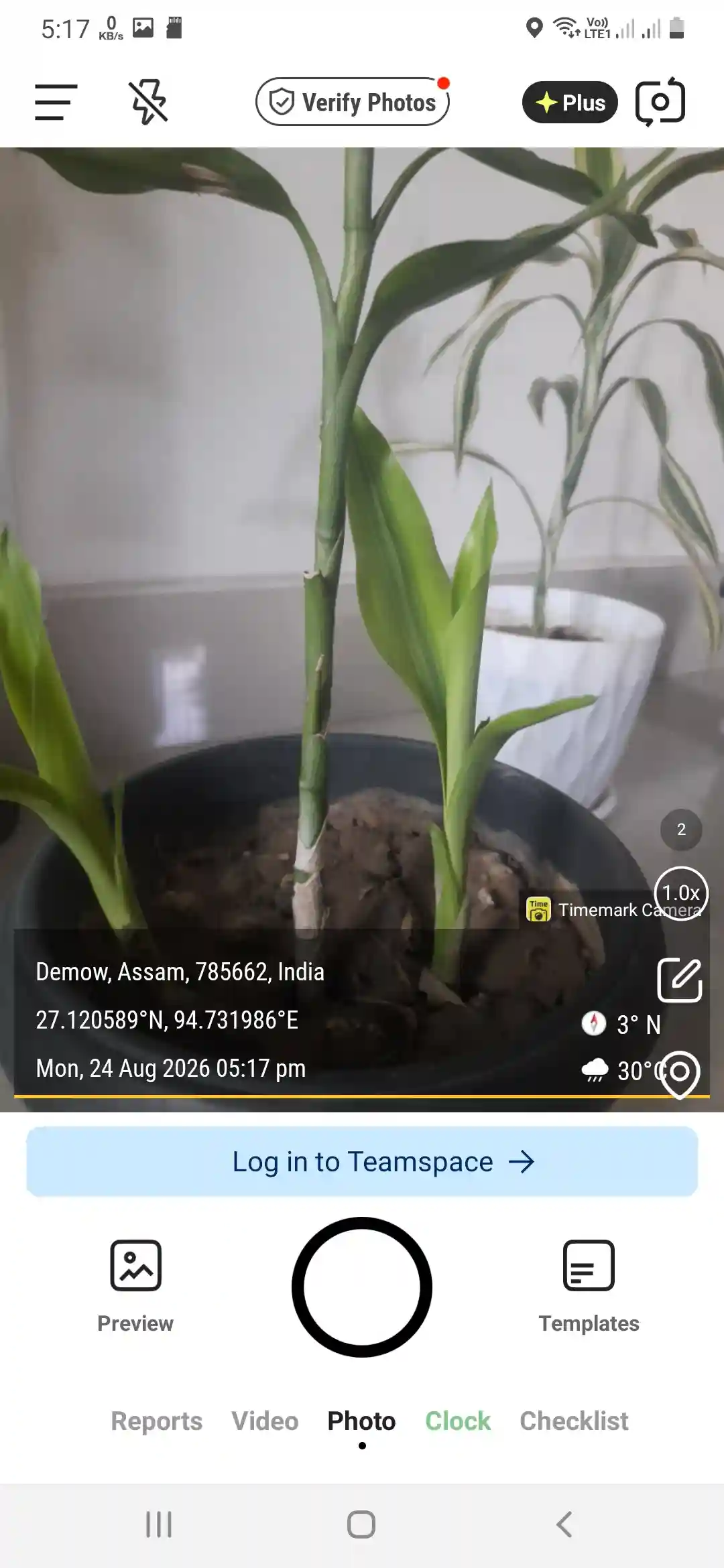
What I liked
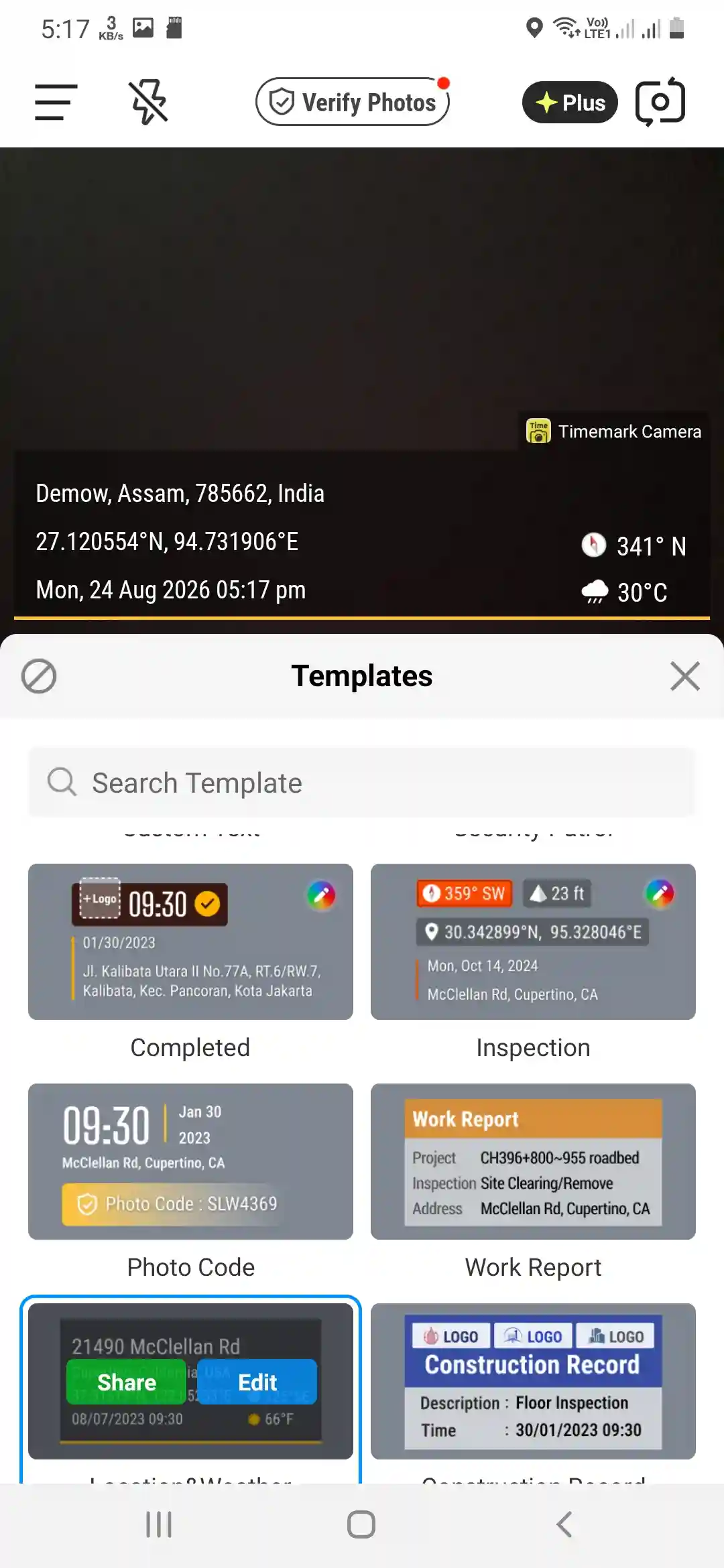
It has everything the apps above offer, then keeps going. You get the full stamp with all the location details, zoom up to 10x (which none of the others come close to), every aspect ratio you'd want, 15 templates to choose from, filters, and built-in timers. But what actually sets it apart are the extra features aimed at people using it for work — check-in and check-out time stamps, and a photo checklist feature that's genuinely useful if you're documenting a job site or inspection route step by step. Create a free account and you unlock even more: you can set up or join a team, which is a nice touch if you're coordinating fieldwork with other people. And on the ad front, it's about as reasonable as it gets — just one ad per day.
Where it falls short
The interface throws a lot at you when you first open it, and it can feel a little overwhelming compared to the simplicity of something like NoteCam Lite. That said, it didn't take long to find my way around, and once you know where things are, it moves fast. The other catch is that the free version stamps your photos with a small watermark — if that's a dealbreaker for you, you'll need to pay to remove it.
Still, feature for feature, this is the most complete GPS camera app on the list.
Ad Experience, App by App
Since ad load was one of the biggest differentiators in daily use, here's specifically what I ran into with each app:
| App | On Open | During Use | After Capture |
|---|---|---|---|
| NoteCam Lite | None noticed | Occasional banner | None noticed |
| GPS Camera | None noticed | Occasional banner | Occasional interstitial |
| GeoTag Camera | Full-screen interstitial | Banner ads | Full-screen interstitial |
| GPS Map Camera | None | None | None |
| Timemark | None noticed | None | Roughly 1 interstitial per day |
My Scoring System
To make the ranking more transparent, here's the rubric I actually used, weighted by what matters most for this kind of app:
- Data completeness — 25% (does the stamp actually show address, elevation, coordinates, etc., not just some of them)
- Stamp customization — 20% (templates, colors, fields you can edit)
- Free features — 20% (how much is usable without paying)
- Ease of use — 15% (how quickly a new user can find their way around)
- Ads / watermark — 10% (how much the free experience gets in the way)
- Existing-photo support — 10% (can you stamp a photo you already took, not just a live shot)
One honest caveat: raw GPS accuracy itself is essentially identical across all five apps, since they all pull coordinates from the same phone location services — the app doesn't make your GPS chip more precise. What actually varies is data completeness (whether the app surfaces the address, elevation, etc. once it has the coordinates), which is what the score below measures. These are hands-on impression scores from my own testing, not lab-instrument measurements.
| App | Completeness | Customization | Free Features | Ease of Use | Ads/Watermark | Existing Photo | Overall |
|---|---|---|---|---|---|---|---|
| Timemark | 9/10 | 9/10 | 9/10 | 6/10 | 8/10 | 6/10 | 8.2 |
| GPS Map Camera | 8/10 | 7/10 | 6/10 | 9/10 | 10/10 | 9/10 | 7.9 |
| GeoTag Camera | 8/10 | 9/10 | 8/10 | 6/10 | 3/10 | 8/10 | 7.4 |
| GPS Camera | 8/10 | 4/10 | 7/10 | 7/10 | 6/10 | 3/10 | 6.2 |
| NoteCam Lite | 5/10 | 3/10 | 6/10 | 9/10 | 9/10 | 2/10 | 5.5 |
Full Comparison Table
| App | Address Shown | Existing Photos | Video Stamping | Templates | Free-Tier Watermark | Ads |
|---|---|---|---|---|---|---|
| NoteCam Lite | No | No | No | 1 (basic) | No | Very low |
| GPS Camera | Yes | Not tested | Yes | 2 | No | Moderate |
| GeoTag Camera | Yes | Yes (manual) | Yes | Many, editable | No | Heavy |
| GPS Map Camera | Yes | Yes (upload) | No | 3, customizable | No | None |
| Timemark | Yes | Not fully tested | Not tested | 15 | Yes (free tier) | 1/day |
Testing limitation: Some features vary by app version, device and subscription tier. Where I couldn't verify a feature hands-on, I've marked it as “Not tested” rather than assuming the Play Store description was accurate.
Best For at a Glance
| If you need... | Use this app |
|---|---|
| Field inspections, teams, check-in/out records | Timemark |
| Clean, ad-free everyday stamping | GPS Map Camera |
| Maximum stamp customization | GeoTag Camera |
| Simple coordinate stamping only | NoteCam Lite |
| GPS stamping plus video | GPS Camera |
Here's the same breakdown with a bit more reasoning:
- Just want coordinates and nothing else? Go with NoteCam Lite.
- Need address details and don't mind limited templates? GPS Camera is a fair middle ground.
- Want maximum customization and can tolerate heavy ads? GeoTag Camera won't disappoint.
- Prefer a clean, ad-free experience over having every feature? GPS Map Camera is your best bet.
- Want the most complete, feature-packed app and don't mind a small learning curve? Timemark comes out on top.
Bottom line
There's no single "best" app for everyone — it really depends on whether you're using it for quick personal photos, professional documentation, or fieldwork that needs check-in records and team coordination. Try a couple of these out, see which stamp style and feature set actually fits how you work, and go from there.
FAQ
Don't want to install another app?
Stamp your photos with GPS coordinates, address, date, and time directly from your browser — free, no sign-up, no ads.
Try GPS Map Camera Online
Priyanshu built GPS Map Camera Online after running into privacy issues and slow performance with traditional mobile GPS camera apps. He specialises in browser-based tools for field documentation and photo geotagging — keeping everything fast, private, and free.
View all posts →