What EXIF Data Is — and Why It Matters
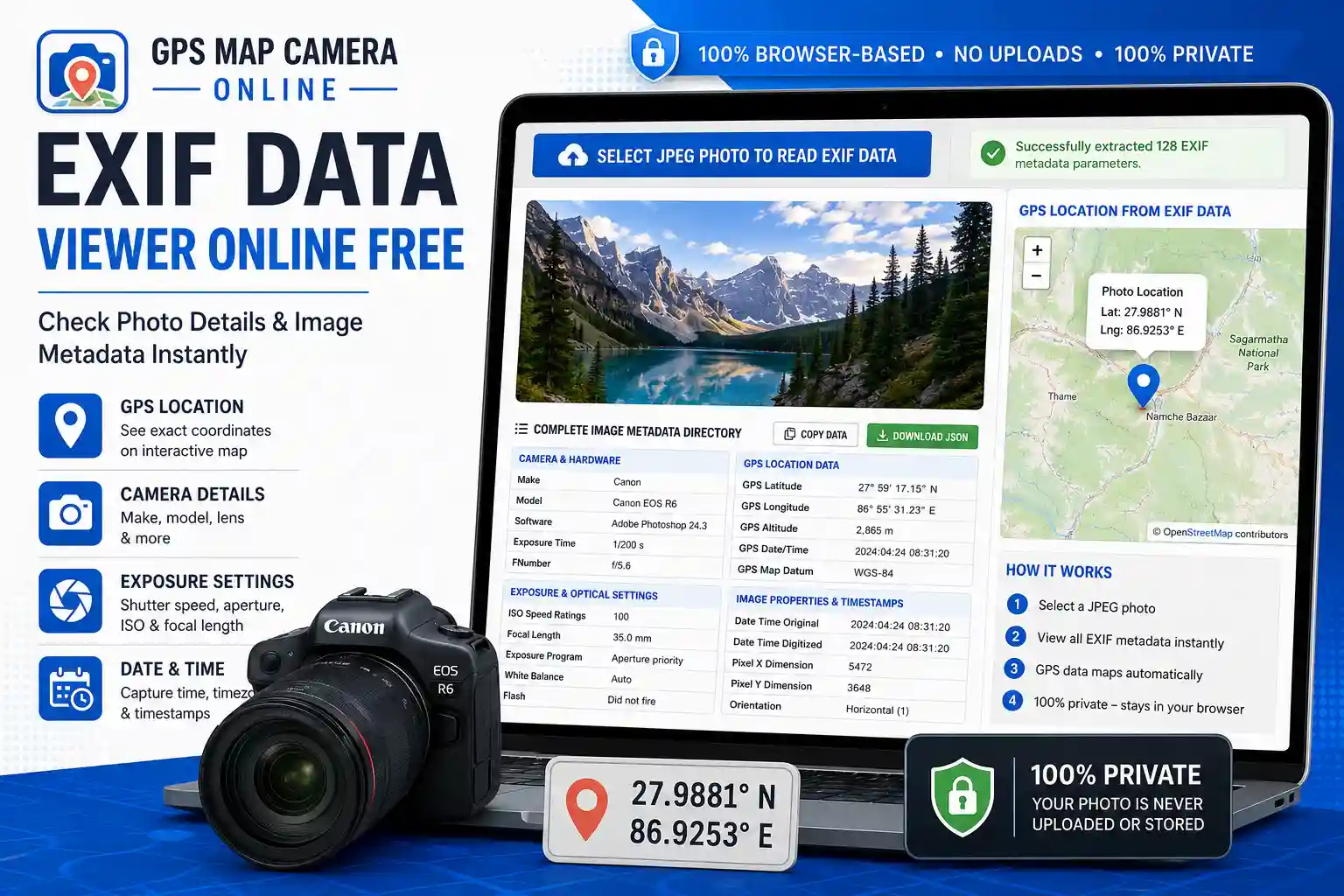
Every JPEG photo you take contains a hidden layer of information that most people never see. This data — stored in the EXIF (Exchangeable Image File Format) standard — is written by the camera or smartphone at the exact moment of capture. It records not just what the image looks like, but how, when, and where it was taken.
This free online EXIF viewer reads all of that embedded metadata and presents it in organized, readable tables — instantly, without uploading your photo anywhere. Everything runs locally in your browser.
What This Tool Shows You
The metadata is organized into four groups to make it easy to find what you need:
- Camera & Hardware — the manufacturer (Make), device model, firmware version, and any copyright or artist information embedded by your camera or phone. Useful for verifying which device captured an image.
- Exposure & Optical Settings — shutter speed, aperture (f-number), ISO sensitivity, focal length, flash status, white balance, metering mode, and exposure program. Everything a photographer needs to understand what settings produced a particular result — or to reproduce it.
- GPS Location Data — latitude, longitude, altitude, GPS bearing, and GPS timestamp, automatically plotted on an interactive map if coordinates are present. If a photo was taken with location services enabled, this section shows exactly where the shutter was pressed.
- Image Properties & Timestamps — image dimensions in pixels, color space, orientation flag, resolution (DPI), and critically, the DateTimeOriginal field which records the true capture time independently of when the file was last modified.
How to Use This EXIF Viewer
- Step 1 — Upload your photo. Click "Select JPEG Photo to Read EXIF Data" and choose a .jpg or .jpeg file from your device. The file is read locally; nothing is sent to a server.
- Step 2 — Read the metadata tables. The tool extracts every available EXIF tag and organizes it into the four groups above. You'll see a count of how many parameters were found in the status banner.
- Step 3 — Check the GPS map. If the photo contains location data, the sidebar map will automatically zoom to the captured coordinates and drop a pin. If no GPS data is present, the map panel will tell you clearly.
- Step 4 — Export the data. Use the Copy Data button to copy all extracted EXIF tags to your clipboard as JSON, or use Download JSON to save a structured file for use in spreadsheets, reports, or developer workflows.
The Copy and Download features make this tool useful beyond just casual browsing — you can pipe the raw EXIF output directly into a report, a database, or a script.
Understanding Key EXIF Fields
A few fields come up often in practical use and are worth understanding properly:
DateTimeOriginal vs. DateTime: EXIF stores multiple date fields. DateTimeOriginal is written at capture and is the most reliable for verification purposes. DateTime can change when a file is copied, renamed, or transferred between devices — it reflects the file's last modification, not when the photo was taken. When checking the capture date and time of a photo, always look at DateTimeOriginal.
GPS Altitude: Where present, this field records elevation above sea level at the time of capture. It's stored separately from latitude/longitude and is expressed in metres. Not all devices record altitude even when they record horizontal GPS coordinates.
Orientation: This flag tells image viewers how to rotate the photo for correct display. A value of 1 means no rotation needed; values 3, 6, and 8 represent 180°, 90° clockwise, and 90° counter-clockwise rotations respectively. Some apps ignore this flag, which is why photos sometimes appear rotated when opened in certain software.
FNumber (Aperture): Stored as a rational number (e.g., 28/10 representing f/2.8). A lower f-number means a wider aperture and shallower depth of field. This is one of the most useful fields for photographers learning from their own shots.
ExposureTime (Shutter Speed): Displayed as a fraction (e.g., 1/500s). Fast shutter speeds freeze motion; slow ones introduce motion blur. Combined with ISO and aperture, this gives a complete picture of the exposure triangle for any shot.
When GPS Data Is Missing — Common Reasons
If the GPS Location section shows no data, one of these is almost certainly why:
- Location services were disabled. The camera app on the device didn't have permission to access GPS at the time of capture.
- The photo was shared via social media or messaging. Instagram, WhatsApp, Facebook, Telegram, and most other platforms strip GPS data from photos before storing them. If you're examining a downloaded social media image, this is the most likely explanation.
- The photo was edited and re-exported. Some photo editing apps remove or don't preserve EXIF GPS tags when saving a new file. The original capture may have had location data; the exported version doesn't.
- It's a screenshot. Screenshots are newly created image files; they inherit no EXIF data from whatever was on screen.
- Indoor capture under poor GPS signal. GPS receivers struggle to lock indoors. Some devices fall back to Wi-Fi or cell tower positioning, which may or may not be written to EXIF depending on the camera app.
None of these mean the tool has an error — "No GPS metadata found" is an accurate result when the data genuinely isn't there.
Who Uses an EXIF Data Viewer
- Photographers reviewing their own technique — checking what ISO, shutter speed, and aperture settings produced a specific result, and learning from the patterns across dozens of shots.
- Field engineers and surveyors verifying that inspection photos carry valid GPS coordinates and accurate timestamps before submitting documentation.
- Journalists and fact-checkers examining whether a submitted photo's embedded metadata is consistent with the claimed location and time of an event.
- Insurance and legal professionals confirming the provenance of photographic evidence — a photo with intact, unmodified EXIF data is meaningfully more defensible than one without.
- Delivery and logistics teams checking that proof-of-delivery photos contain a GPS stamp and timestamp that matches the claimed delivery time and address.
- Developers and data analysts using the JSON export feature to extract structured EXIF data for processing in scripts, databases, or automated workflows.
- Parents and families checking when and where old family photos were taken, for genealogy, archiving, or simply satisfying curiosity about a forgotten holiday.
Privacy — What Happens to Your Photo
This tool is fully browser-side. When you select a file, JavaScript reads it from your local storage directly — the image bytes never travel across the internet to a server. The only optional network interaction is the GPS reverse geocoding on the Photo Location Finder page; this viewer does not make that call — it displays the raw coordinates only.
Once you close or reload the tab, all data is cleared. Nothing is cached, stored, or logged on our end. This makes the tool appropriate for sensitive imagery: legal documents, medical photos, confidential site inspections, or personal family photos.
Frequently Asked Questions
What is EXIF data and what does it contain?
EXIF (Exchangeable Image File Format) is a metadata standard built into JPEG files. It was established by the Japan Electronics and Information Technology Industries Association (JEITA) and is now universally supported by cameras and smartphones. A typical EXIF block contains the camera make and model, capture date and time, shutter speed, aperture, ISO, focal length, flash status, GPS coordinates (if location services were on), image dimensions, and color space. Professional cameras may also embed lens profile data, copyright, and artist information.
How do I check the original date a photo was taken?
Look for the DateTimeOriginal field in the "Image Properties & Timestamps" group. This is written at capture by the camera and is independent of when the file was last saved or modified. It's the most reliable field for confirming when a photo was actually taken, and it's what courts and insurance assessors look for when validating photographic evidence.
Why does my photo show no EXIF data at all?
This happens when EXIF has been stripped from the file. The most common causes: the photo was shared via a messaging app or social media platform (which removes metadata automatically), it was exported from a photo editor that doesn't preserve EXIF, or it was converted to a different format. Screenshots and images saved from websites typically contain no EXIF data. This tool will display a clear "No EXIF metadata found" message in these cases.
Can I download the EXIF data to use elsewhere?
Yes. After uploading a photo, use the Download JSON button to save all extracted EXIF tags as a structured JSON file. You can also use Copy Data to copy the JSON to your clipboard. This is particularly useful for developers who want to process metadata programmatically, or for professionals who need to include raw metadata in a report.
Is this different from the Photo Location Finder tool?
Yes, though they're complementary. The Photo Location Finder is focused specifically on extracting GPS coordinates and displaying them on a map with a reverse-geocoded address. This EXIF Viewer shows the complete metadata picture — all camera settings, timestamps, image properties, and GPS data together — and lets you export everything as JSON. If you only need the map location, use the Location Finder. If you need the full metadata breakdown or want to export the data, use this tool.
Related Tools

About the author
Priyanshu built GPS Map Camera Online after running into privacy issues and slow performance with traditional mobile GPS camera apps. He specialises in browser-based tools for field documentation and photo geotagging — keeping everything fast, private, and free.
View all posts →