What Is the GPS Map Video Camera?
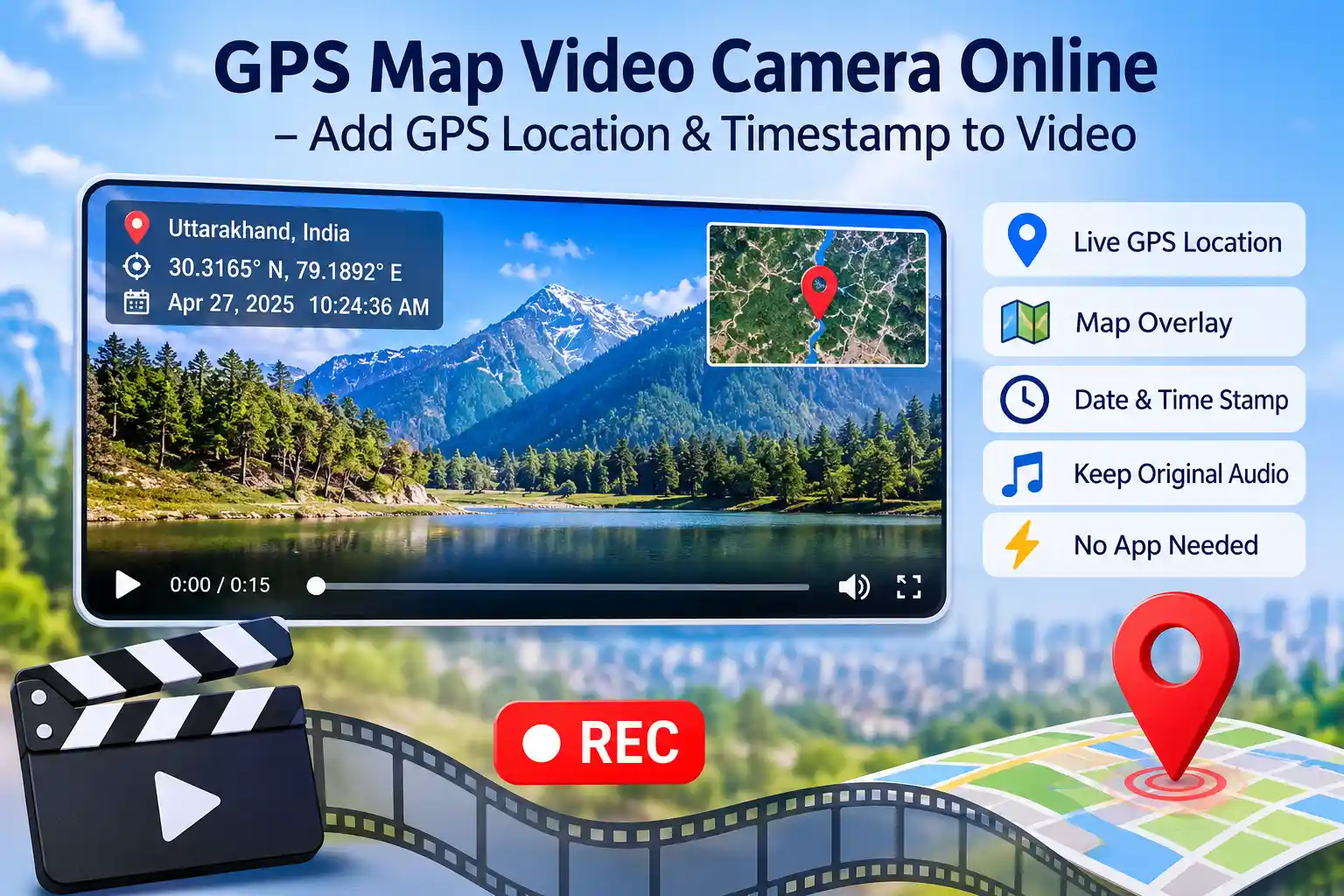
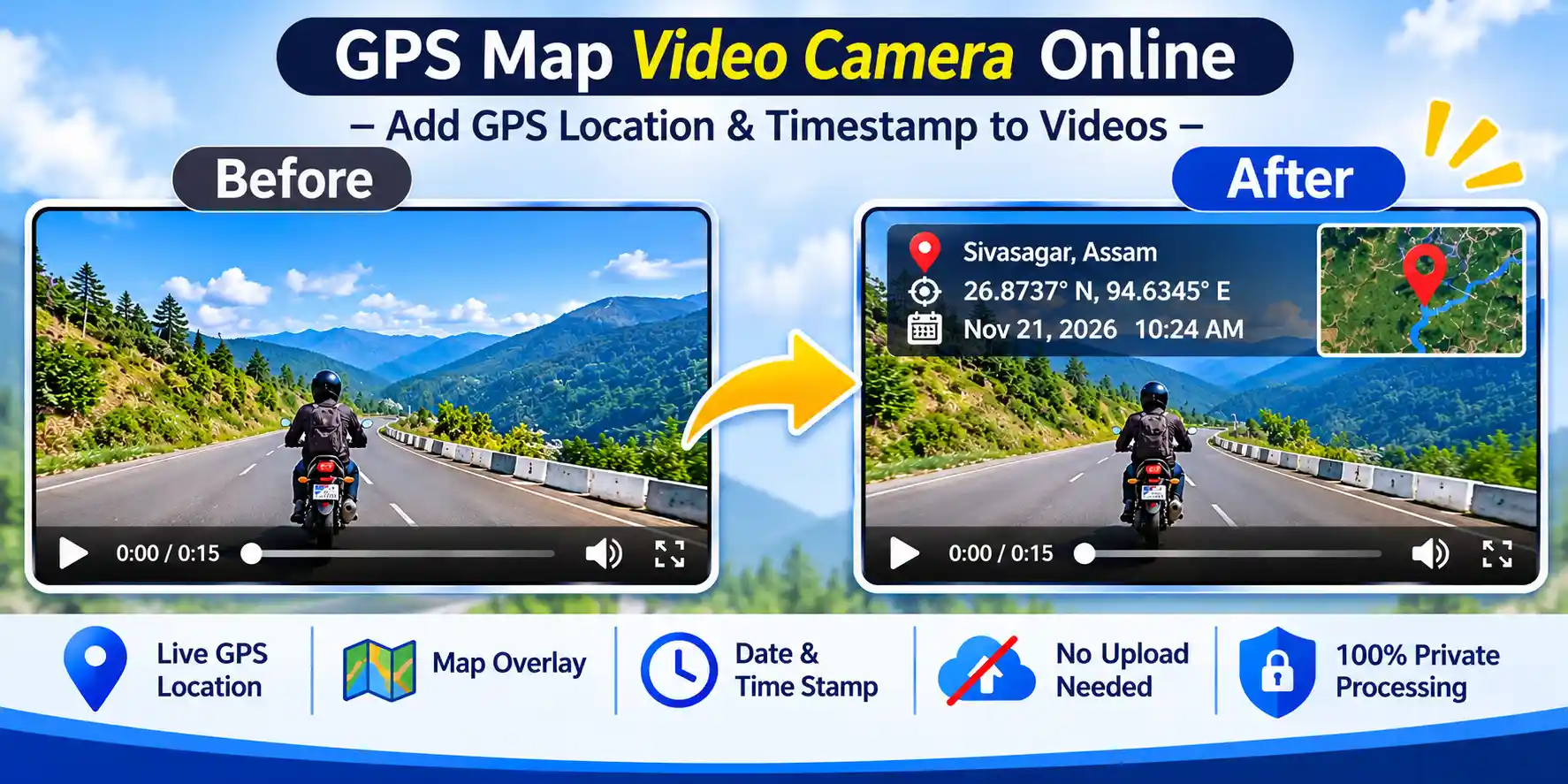
The GPS Map Video Camera is a free, browser-based tool that burns your location, map thumbnail, latitude, longitude, date and time directly into a video. It is the video version of our GPS Map Camera Online photo stamper: the same six stamp styles, the same map overlay, now applied to every frame of a clip.
You can either pick an existing video from your phone or computer gallery, or open your camera and record a new video with the stamp already on screen. Everything runs locally in your browser, so there is nothing to install and your footage is not uploaded anywhere.
Add GPS Location to Video Online
Need to add GPS location to a video, add coordinates to a video or make a GPS timestamp video without installing an app? This GPS video stamper online lets you add a location stamp to video straight from your browser. The latitude, longitude, address, map and date and time are drawn onto the picture itself, so they stay visible when the video is shared through messaging apps or social media, where hidden metadata is usually removed.
Working with photos instead? Use the GPS Map Camera for single images or the Bulk GPS Photo Stamper for batches.
Key Features
- Choose from gallery: Stamp a video you already recorded, with its original sound kept.
- Live camera stamping: Record with the front or back camera and see the stamp in the preview while you film.
- Running clock: The time on the stamp moves with the video instead of staying frozen on a single moment.
- Auto stamp orientation: Portrait videos get a vertical stamp card and landscape videos get a wide bar, or switch to a fixed horizontal or vertical stamp yourself.
- Map thumbnail with pin: A map centered on your exact coordinates, drawn into the stamp.
- 6 stamp styles: Rounded Black Glass, Rounded White Glass, Modern Black, Classic White, Minimalist Text and Separated Boxes, previewed live.
- Editable details: Search a place, drag the map pin, or type your own address, project name and coordinates.
- Resolution and quality controls: Keep files small for sharing or export in Full HD.
- Private by design: Video is processed with the browser's Canvas and MediaRecorder features. No account, no upload.
How to Use the GPS Map Video Camera
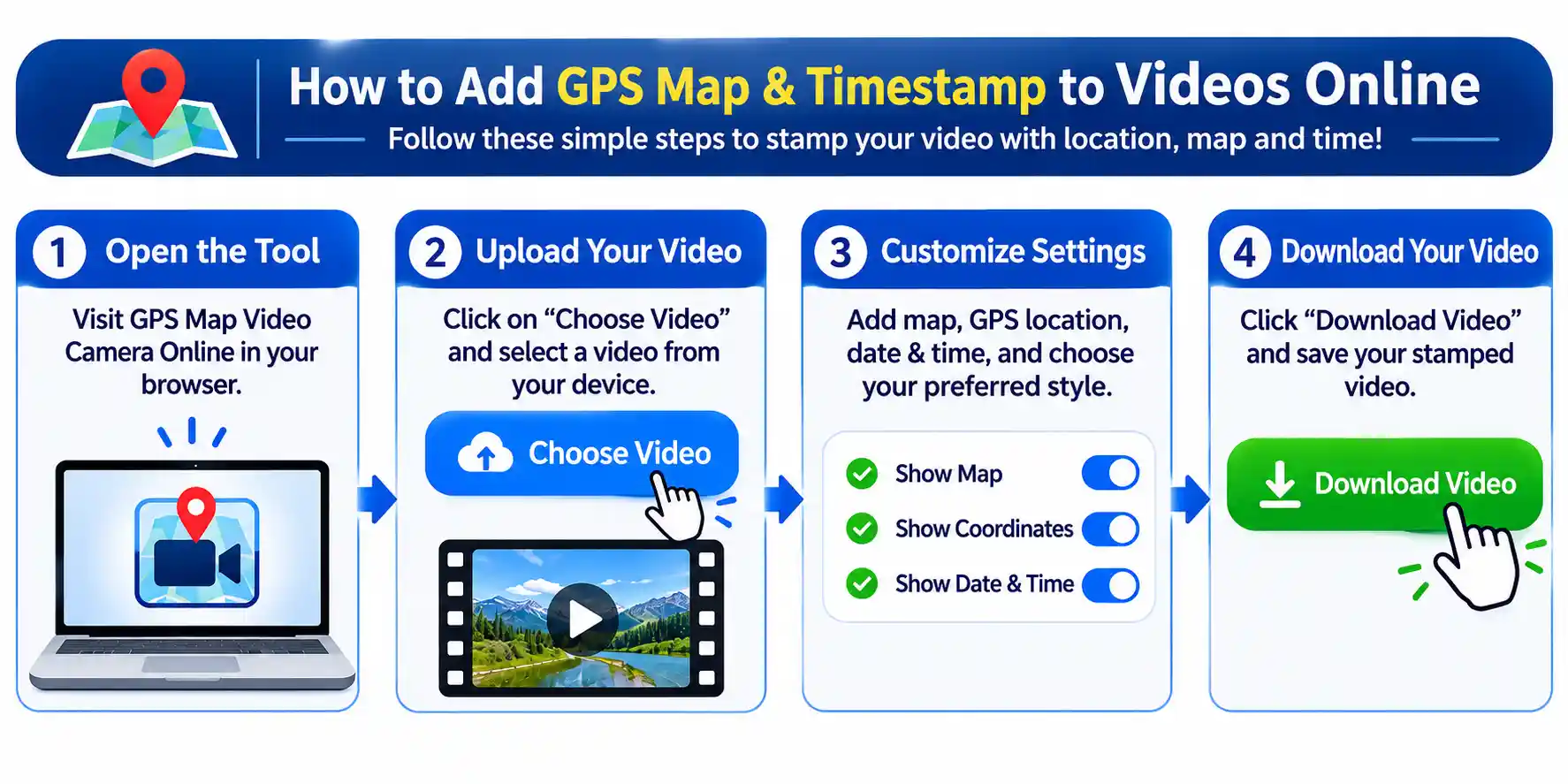
- Allow location access when asked so your coordinates and address are filled in. You can also search a place or drag the map pin.
- Pick your source: click Choose Video for a gallery video, or Open Camera for live stamping.
- Choose a stamp style from the gallery below the preview and adjust the project name, address or start time.
- Camera: press the red button to start and stop recording. Gallery: press Stamp & Save Video and wait for the progress bar.
- Save the stamped video to your device from the result panel.
In most modern browsers, gallery videos are decoded, stamped and re-encoded frame by frame, which keeps the original smoothness and is often faster than the video's running time. If your browser or the video format doesn't support this, the tool switches to real-time mode, where a 3-minute video takes about 3 minutes. Keep the tab open and your screen on until it finishes.
Real-World Use Cases
Delivery and Site Walkthroughs
Record a short clip of a delivery at the door or a walkthrough of a work site, with the location and time visible throughout the video.
Inspections and Field Work
Technicians, surveyors and inspectors can narrate findings while the stamp keeps every clip tied to a place and a time.
Property and Insurance Records
Video of damage or property condition is easier to understand when the address and timestamp are part of the footage itself.
Travel and Personal Memories
Keep the place and date on your travel clips even after they are shared through apps that strip hidden metadata.
The stamp is a visual overlay for context. It is not a forensic or tamper-proof record, so follow your organisation's own rules if you need formally verified evidence.
Browser Support and Tips
- Works on current versions of Chrome, Edge, Safari and Firefox on Android, iPhone, Windows and Mac.
- Camera access and location require a secure (HTTPS) page and your permission.
- The saved file is MP4 when your browser can record MP4, otherwise WebM.
- For long videos, choose 720p or lower quality to keep the file size manageable.
- Do not switch tabs or lock the screen while stamping, because browsers pause background tabs.
Privacy & Data Security
Your video is never sent to a server. Frames are drawn onto a canvas in your browser and recorded locally. Your coordinates are used to fetch map tiles and an address from OpenStreetMap, which receive location data but never your footage.
Frequently Asked Questions
Is the GPS Map Video Camera free?
Yes. It is completely free, with no sign-up, no watermark removal fee and no app to install.
Are my videos uploaded to a server?
No. Videos are processed entirely inside your browser. Only map tiles and address lookups are requested from OpenStreetMap, and those contain coordinates, never your video.
How long does it take to stamp a video from my gallery?
In most modern browsers the video is re-encoded frame by frame in fast mode, often quicker than its running time. Browsers without the required video features fall back to real-time mode, where a 2-minute video takes about 2 minutes. Keep the tab open and the screen on until the progress bar completes.
What file format do I get?
MP4 when your browser can record it, otherwise WebM. The tool shows the format before you save.
Is sound kept in the stamped video?
Yes. Gallery videos keep their original audio, and live camera recordings capture the microphone if you allow access.
Does the time on the stamp keep running during the video?
Yes, if you leave Running Clock on. Live recordings show the real current time, and gallery videos start from the start time you set and advance as the video plays.
Related Tools

About the author
Priyanshu built GPS Map Camera Online after running into privacy issues and slow performance with traditional mobile GPS camera apps. He specialises in browser-based tools for field documentation and photo geotagging — keeping everything fast, private, and free.
View all posts →